IMPORTANT: When using the Regulatory Licensing and Permitting System, it's recommended to use a desktop computer with Google Chrome browser for best experience.
How To Submit an Application for Licensure
Go to the
Apply for Licensure page and select the application you wish to complete.
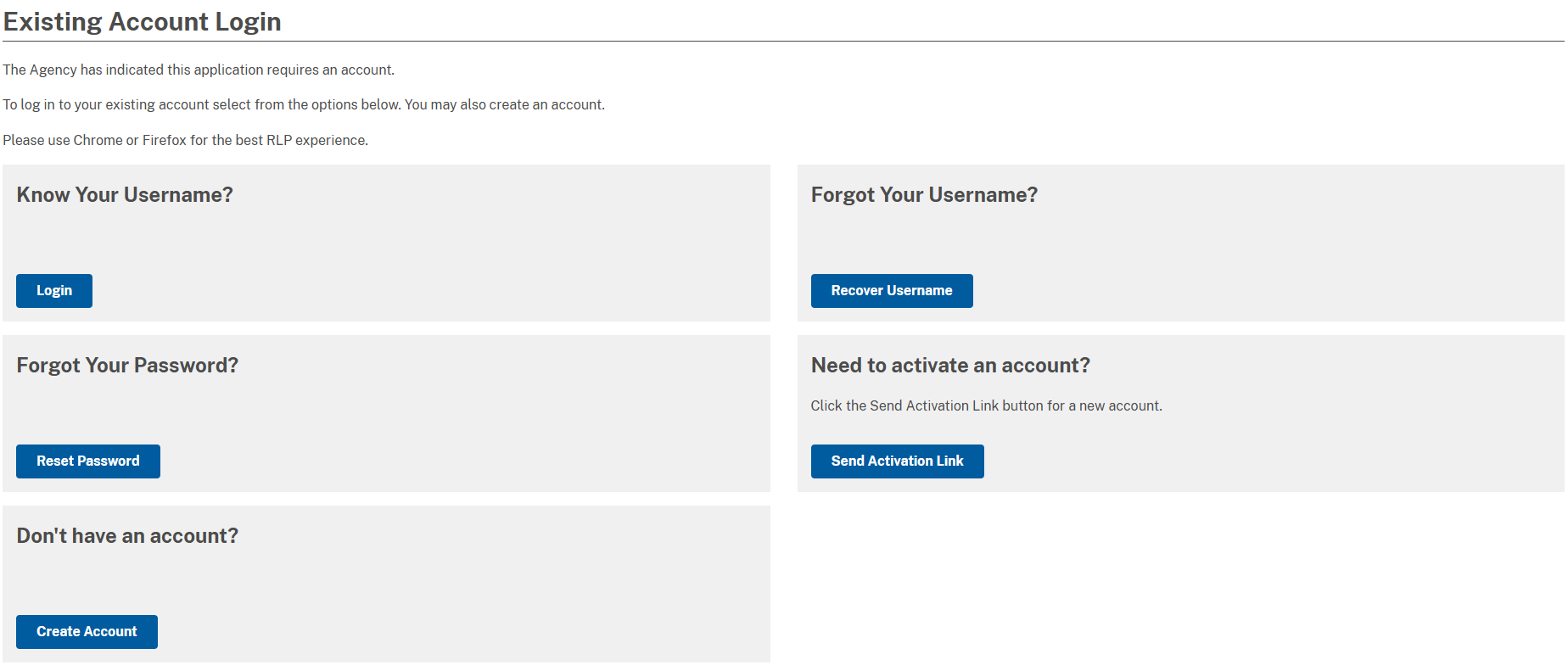
When you click the link of the application you wish to submit, you will be prompted for a username and password (see image below).
You’ll be able to use the account options to; login if you know your username and password, activate your account, recover your username, reset your password, and create a new account if you don’t have one.
NOTE: Account recovery functions such as Forgot Your Password, Forgot Your Username, and Need to Activate an Account will email the email address we have on file for you in our licensing system. If you don’t receive an email after attempting one of these functions, it could be the email address we have for you is incorrect. You should also check the Spam/Junk folder in your email account to find the correspondence from us. If you don’t receive the email, please contact
vanessag.jones@ky.gov for further assistance.
How To Renew Your License
Go to the
Licensure page and click the RENEW/REINSTATE button in the Renew Online box at the top of the page.
You will be prompted to enter your username and password.
Once logged in, your screen will have tabs across the top of the screen like these shown below.

Click on the Certificate/License/Permit tab.
Scroll to the bottom of the screen and click the icon with the two arrows pointing in opposite directions to renew your license.

Upload Documents To Your Account
- Login to the
Document Upload Form with your account credentials
- After login, enter your information as required on the opening page. You'll be required to reenter your email address
- The document upload page has several areas to upload documents. Perform your document(s) upload, then proceed to the bottom of the page and click Save and Continue. The uploaded document(s) will appear in the Documents section of your account profile
- You will receive an email confirming your document uploads
How To Submit a Help Desk Request
Take advantage of the Help Desk when you can't: find your submission or license after you login; download your certificate; view submissions; renew your license.
To submit a ticket,
click here.
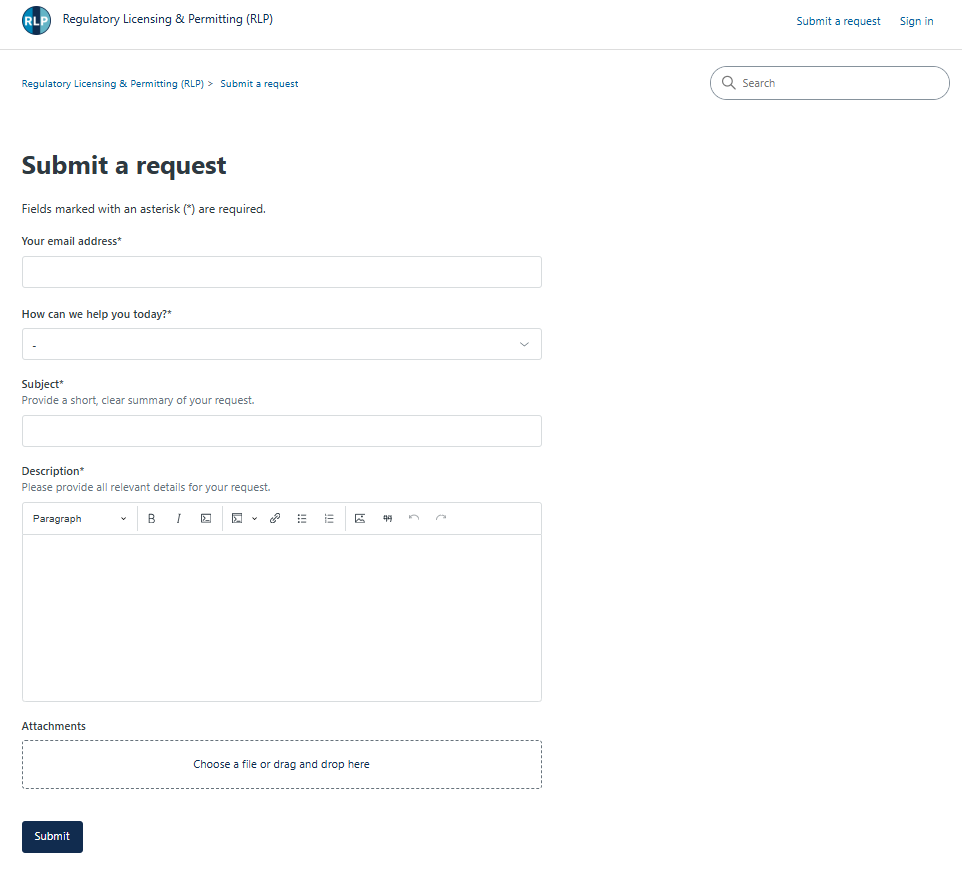
Add your email address.
Select the ticket type under ‘How can we help you today?’: Technical Assistance, Account/User Management, Payment Inquiry, or Forward to Agency.
Provide a ‘Subject’ and ‘Description’ for the request.
Complete any optional fields that will help support efficiently triage the request.
Add ‘Attachments’ to describe the request.
Click ‘Submit’ to create the request. You will receive an email confirming receipt along with a ticket number after submission.